核心命令 (推荐)
对于现代的 Ubuntu 系统(如 16.04, 18.04, 20.04, 22.04 等),都使用 systemd 作为系统和服务管理器,应该使用 systemctl 命令。

重启 Apache 服务
这是最常用的命令,它会先停止服务,然后再启动服务。
sudo systemctl restart apache2
或者使用它的别名 reload,在某些情况下(比如只修改了配置文件但未修改二进制文件),reload 会优雅地重新加载配置而不中断现有连接,但如果配置有误导致无法加载,reload 会失败。restart 则更强制、更可靠。
# 尝试优雅地重新加载配置,如果失败则重启服务
sudo systemctl reload-or-restart apache2
停止 Apache 服务
sudo systemctl stop apache2
启动 Apache 服务
sudo systemctl start apache2
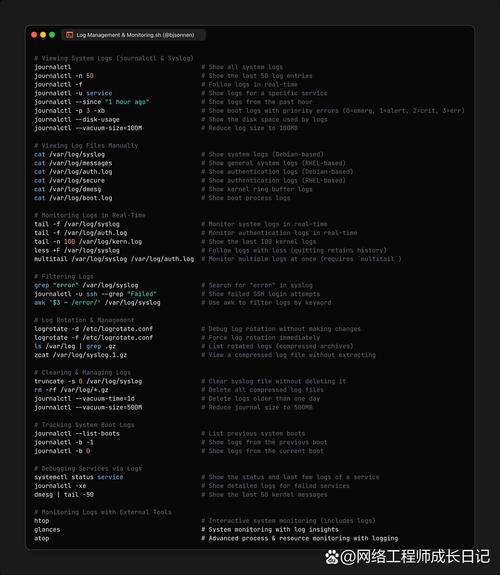
检查 Apache 服务状态
这个命令非常有用,可以查看服务是否正在运行、是否开机自启以及最近的日志。
sudo systemctl status apache2
执行后,你会看到类似下面的输出,active (running) 表示服务正在运行。
● apache2.service - The Apache HTTP Server
   Loaded: loaded (/lib/systemd/system/apache2.service; enabled; vendor preset: enabled)
   Active: active (running) since ...
     Docs: https://httpd.apache.org/docs/2.4/
 Main PID: 1234 (apache2)
    Tasks: 55 (limit: 1137)
   Memory: 45.2M
   CGroup: /system.slice/apache2.service
           ├─1234 /usr/sbin/apache2 -k start
           ├─1235 /usr/sbin/apache2 -k start
           └─1236 /usr/sbin/apache2 -k start
...
其他相关操作
查看和重新加载配置
当你修改了 Apache 的配置文件(通常是 /etc/apache2/apache2.conf 或在 /etc/apache2/sites-available/ 下的虚拟主机文件)后,通常需要让 Apache 重新读取新配置。
-
重新加载配置 (推荐): 这个命令会尝试在不中断现有连接的情况下应用新配置,如果配置文件有语法错误,它会失败并告诉你哪里错了。
sudo systemctl reload apache2
-
检查配置文件语法 (非常重要): 在重新加载或重启之前,先用这个命令检查你的配置文件是否有语法错误,可以节省你很多排查问题的时间。
sudo apache2ctl configtest
# 或者
sudo apachectl configtest
如果一切正常,你会看到:
Syntax OK
设置开机自启
如果希望 Apache 在系统启动时自动运行,可以使用以下命令:
sudo systemctl enable apache2
如果不想让它开机自启,则使用:
sudo systemctl disable apache2
旧版 Ubuntu 的命令 (不常用)
如果你在使用非常古老的 Ubuntu 版本(14.04 或更早),它们使用的是 init 而不是 systemd,这时,你需要使用 service 命令。
# 重启
sudo service apache2 restart
# 停止
sudo service apache2 stop
# 启动
sudo service apache2 start
# 检查状态
sudo service apache2 status
注意: 即使在较新的 Ubuntu 系统上,service apache2 restart 这个命令通常也能工作,因为它是对 systemctl 命令的一个兼容性包装,但从长远来看,直接使用 systemctl 是更规范的做法。
| 操作 | 推荐命令 (现代 Ubuntu) | 兼容命令 (旧版 Ubuntu) |
|---|---|---|
| 重启服务 | sudo systemctl restart apache2 |
sudo service apache2 restart |
| 停止服务 | sudo systemctl stop apache2 |
sudo service apache2 stop |
| 启动服务 | sudo systemctl start apache2 |
sudo service apache2 start |
| 检查状态 | sudo systemctl status apache2 |
sudo service apache2 status |
| 重新加载配置 | sudo systemctl reload apache2 |
sudo service apache2 reload |
| 检查配置语法 | sudo apache2ctl configtest |
sudo apache2ctl configtest |
对于绝大多数 Ubuntu sudo systemctl restart apache2 和 sudo systemctl status apache2 就足够应对大部分情况了。