在Java中执行ADB命令
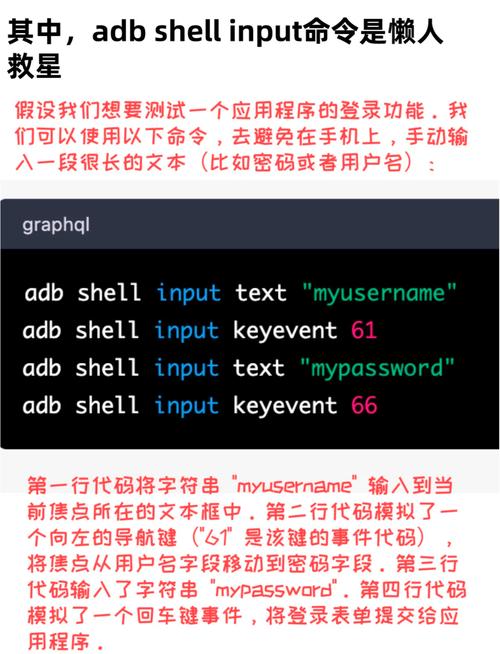
在Java中执行ADB(Android Debug Bridge)命令,可以通过Java的Runtime类或ProcessBuilder类来实现,以下是几种常见的方法:
(图片来源网络,侵删)
方法1:使用Runtime类
import java.io.BufferedReader;
import java.io.InputStreamReader;
public class AdbExecutor {
    public static void main(String[] args) {
        try {
            // 执行adb命令
            Process process = Runtime.getRuntime().exec("adb devices");
            // 读取命令输出
            BufferedReader reader = new BufferedReader(
                new InputStreamReader(process.getInputStream()));
            String line;
            while ((line = reader.readLine()) != null) {
                System.out.println(line);
            }
            // 等待命令执行完成
            int exitCode = process.waitFor();
            System.out.println("Exit code: " + exitCode);
        } catch (Exception e) {
            e.printStackTrace();
        }
    }
}
方法2:使用ProcessBuilder类(推荐)
import java.io.BufferedReader;
import java.io.IOException;
import java.io.InputStreamReader;
public class AdbExecutor {
    public static void main(String[] args) {
        try {
            // 构建命令
            ProcessBuilder processBuilder = new ProcessBuilder("adb", "devices");
            // 合并错误流和输出流
            processBuilder.redirectErrorStream(true);
            // 启动进程
            Process process = processBuilder.start();
            // 读取输出
            BufferedReader reader = new BufferedReader(
                new InputStreamReader(process.getInputStream()));
            String line;
            while ((line = reader.readLine()) != null) {
                System.out.println(line);
            }
            // 等待命令执行完成
            int exitCode = process.waitFor();
            System.out.println("Exit code: " + exitCode);
        } catch (IOException | InterruptedException e) {
            e.printStackTrace();
        }
    }
}
方法3:执行带参数的ADB命令
public class AdbExecutor {
    public static void main(String[] args) {
        try {
            // 示例:获取设备屏幕分辨率
            String[] command = {"adb", "-s", "设备ID", "shell", "wm", "size"};
            ProcessBuilder processBuilder = new ProcessBuilder(command);
            processBuilder.redirectErrorStream(true);
            Process process = processBuilder.start();
            BufferedReader reader = new BufferedReader(
                new InputStreamReader(process.getInputStream()));
            String line;
            while ((line = reader.readLine()) != null) {
                System.out.println(line);
            }
            int exitCode = process.waitFor();
            System.out.println("Exit code: " + exitCode);
        } catch (IOException | InterruptedException e) {
            e.printStackTrace();
        }
    }
}
注意事项
-
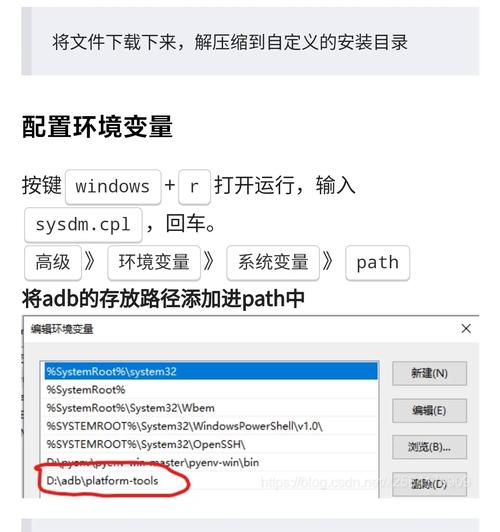
ADB路径问题:确保ADB已添加到系统PATH环境变量,或者使用完整路径(如
C:\Users\YourUser\AppData\Local\Android\Sdk\platform-tools\adb.exe) -
权限问题:在某些系统上,可能需要管理员权限才能执行某些ADB命令
-
多设备处理:如果有多个连接的设备,需要使用
-s选项指定设备ID -
超时处理:长时间运行的命令应该设置超时,避免程序无限等待
 (图片来源网络,侵删)
 -
错误处理:妥善处理
IOException和InterruptedException -
异步执行:对于需要长时间执行的命令,考虑使用多线程来避免阻塞主线程
更高级的实现
对于更复杂的ADB操作,可以考虑封装一个专门的ADB工具类:
import java.io.BufferedReader;
import java.io.IOException;
import java.io.InputStreamReader;
import java.util.ArrayList;
import java.util.List;
public class AdbUtils {
    private static final String ADB_PATH = "adb"; // 或完整路径
    public static List<String> executeCommand(String... command) throws IOException, InterruptedException {
        List<String> result = new ArrayList<>();
        String[] fullCommand = new String[command.length + 1];
        fullCommand[0] = ADB_PATH;
        System.arraycopy(command, 0, fullCommand, 1, command.length);
        ProcessBuilder processBuilder = new ProcessBuilder(fullCommand);
        processBuilder.redirectErrorStream(true);
        Process process = processBuilder.start();
        try (BufferedReader reader = new BufferedReader(
                new InputStreamReader(process.getInputStream()))) {
            String line;
            while ((line = reader.readLine()) != null) {
                result.add(line);
            }
        }
        int exitCode = process.waitFor();
        if (exitCode != 0) {
            throw new IOException("Command failed with exit code " + exitCode);
        }
        return result;
    }
    public static void main(String[] args) {
        try {
            List<String> devices = AdbUtils.executeCommand("devices");
            for (String device : devices) {
                System.out.println(device);
            }
        } catch (IOException | InterruptedException e) {
            e.printStackTrace();
        }
    }
}
这个封装提供了更好的错误处理和结果收集机制。
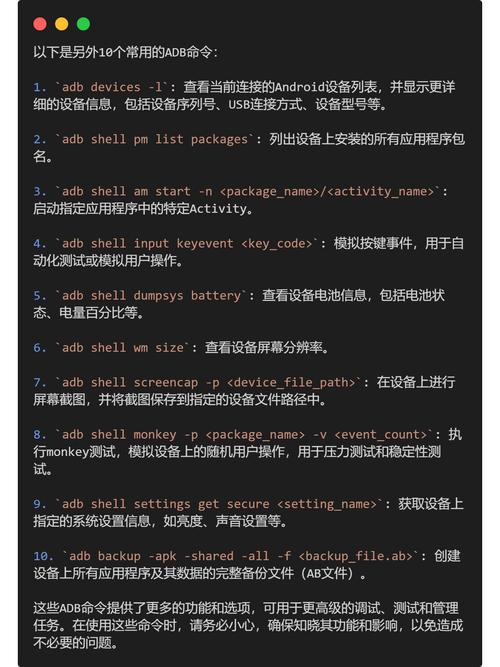
(图片来源网络,侵删)